

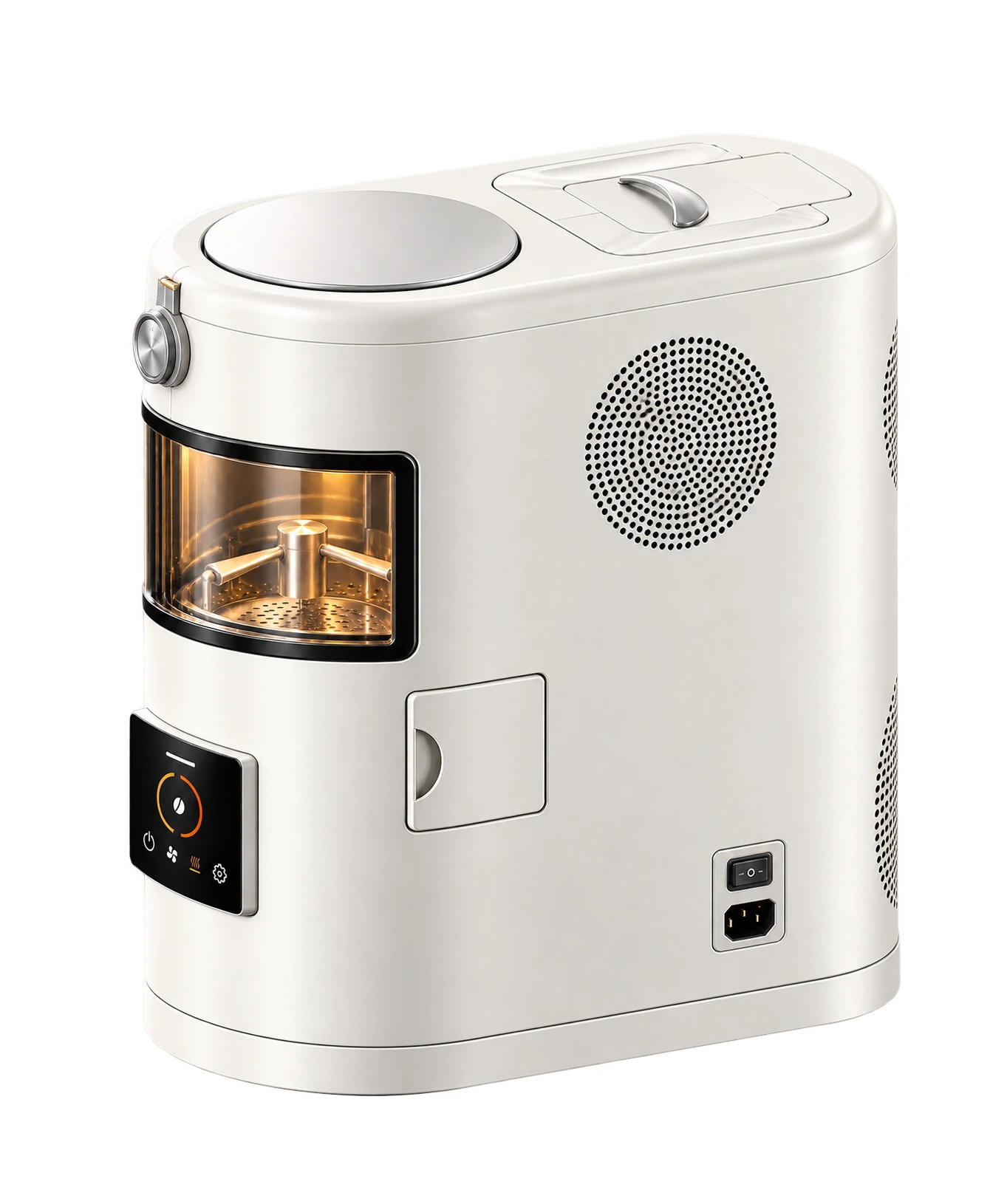
Match the model and hardware version on your unit.
Find the parts you use
| Part | What it does |
|---|---|
| Chamber lid and safety latch | Close and secure the roasting chamber. |
| Viewing glass | Lets you observe the beans while keeping the chamber closed. |
| Chaff box and cover | Collect the dry skins released during roasting. |
| Touchscreen | Provides the on-device roasting controls. |
| Bean outlet | Provides the discharge path after the appropriate cooling procedure. |
| Air openings | Support airflow and heat dissipation. Keep them clear. |
| Power switch and indicator | Control and indicate the machine’s power state. |
Covers and moving parts
The chamber lid and chaff-box cover must be correctly closed before use. Do not bypass a safety switch or hold a cover in place to make the machine operate.
The heater and stirring mechanism work inside the machine. Observe through the viewing glass; do not open an operating chamber or touch the hot glass.
Use the instructions for your screen
The on-device controls and the calink software resources are separate. Match screen labels and operating instructions to your hardware and firmware version.
If a screen differs from the instructions you have, note the model and displayed message and contact support.